 Platoon Manager
Formation mode
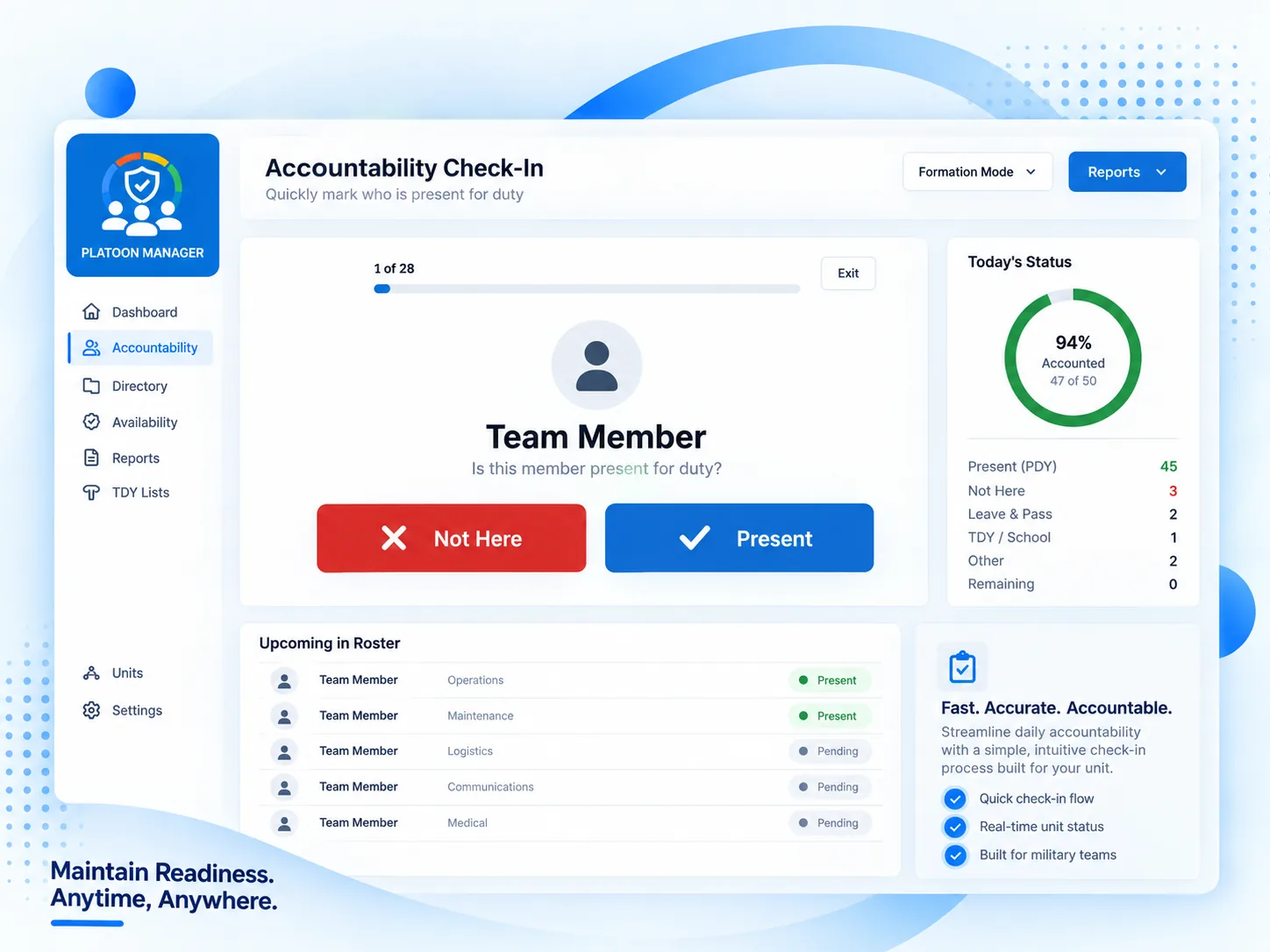
One soldier on screen at a time, in rank order, unaccounted first. Anyone already on leave or TDY is skipped and handed back at the end, so a wrong one gets fixed on the spot.
Accountability for company formations
Platoon Manager answers one question fast: who is here, who is out, and why. It is built for the NCO standing in front of the formation with a phone.
14-day free trial · no card to start · works on any phone
Everything else in the app exists to make those three minutes shorter and the report afterwards correct.
One soldier on screen at a time, in rank order, unaccounted first. Anyone already on leave or TDY is skipped and handed back at the end, so a wrong one gets fixed on the spot.
Schedule leave, a pass, TDY or a school once. It activates on the start date, returns the soldier to duty on the end date, and files itself in their history. Nobody has to remember to undo it.
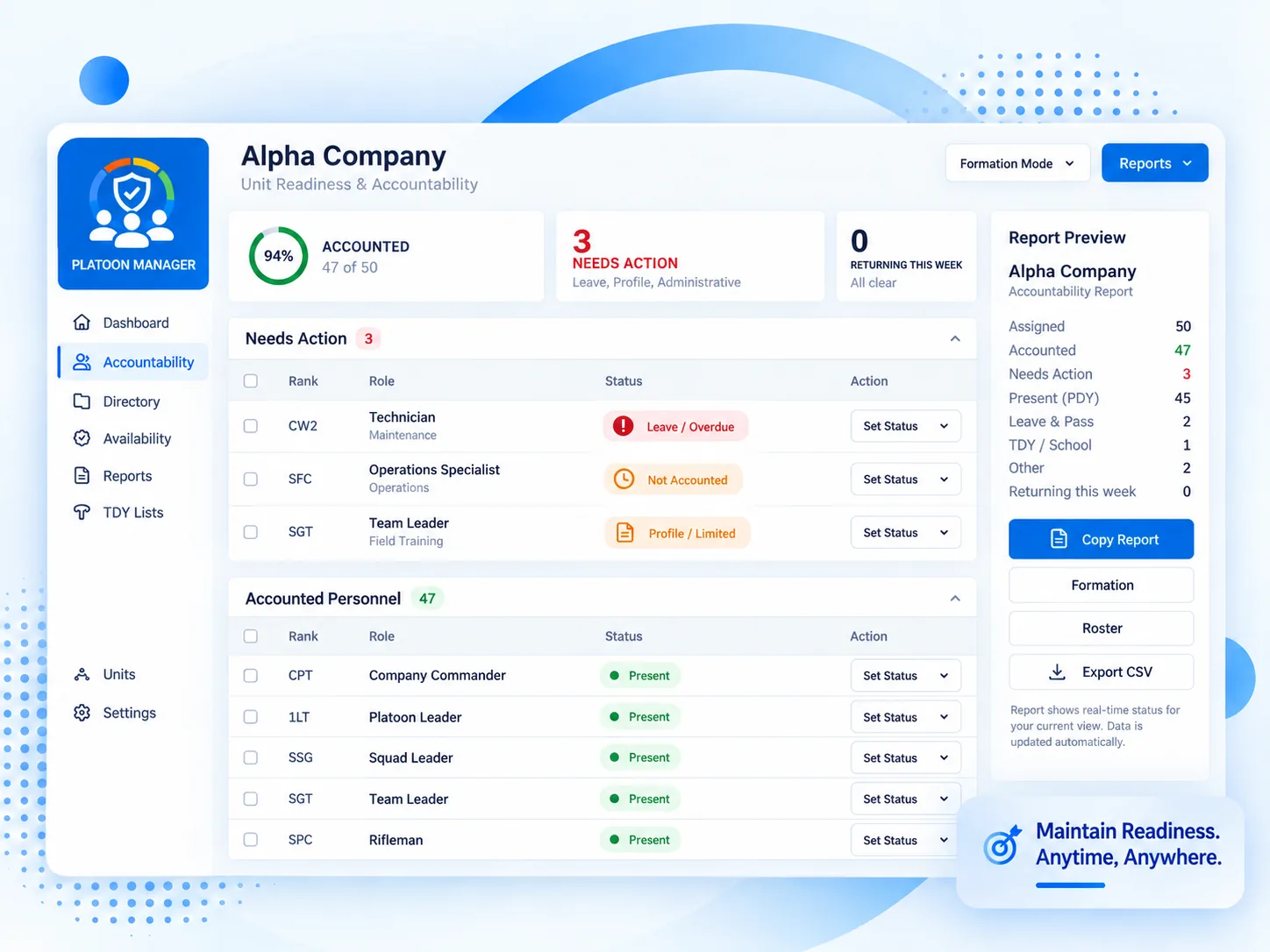
Assigned, accounted, needs action, leave and pass, TDY and school, all counted as you go. Copy it into the message you were going to send anyway, or export the roster as CSV.
Formation mode
A full-screen queue with nothing behind it to hit by accident in the dark. Mark the soldier present, or not here with a reason, and the next name comes up.
Directory
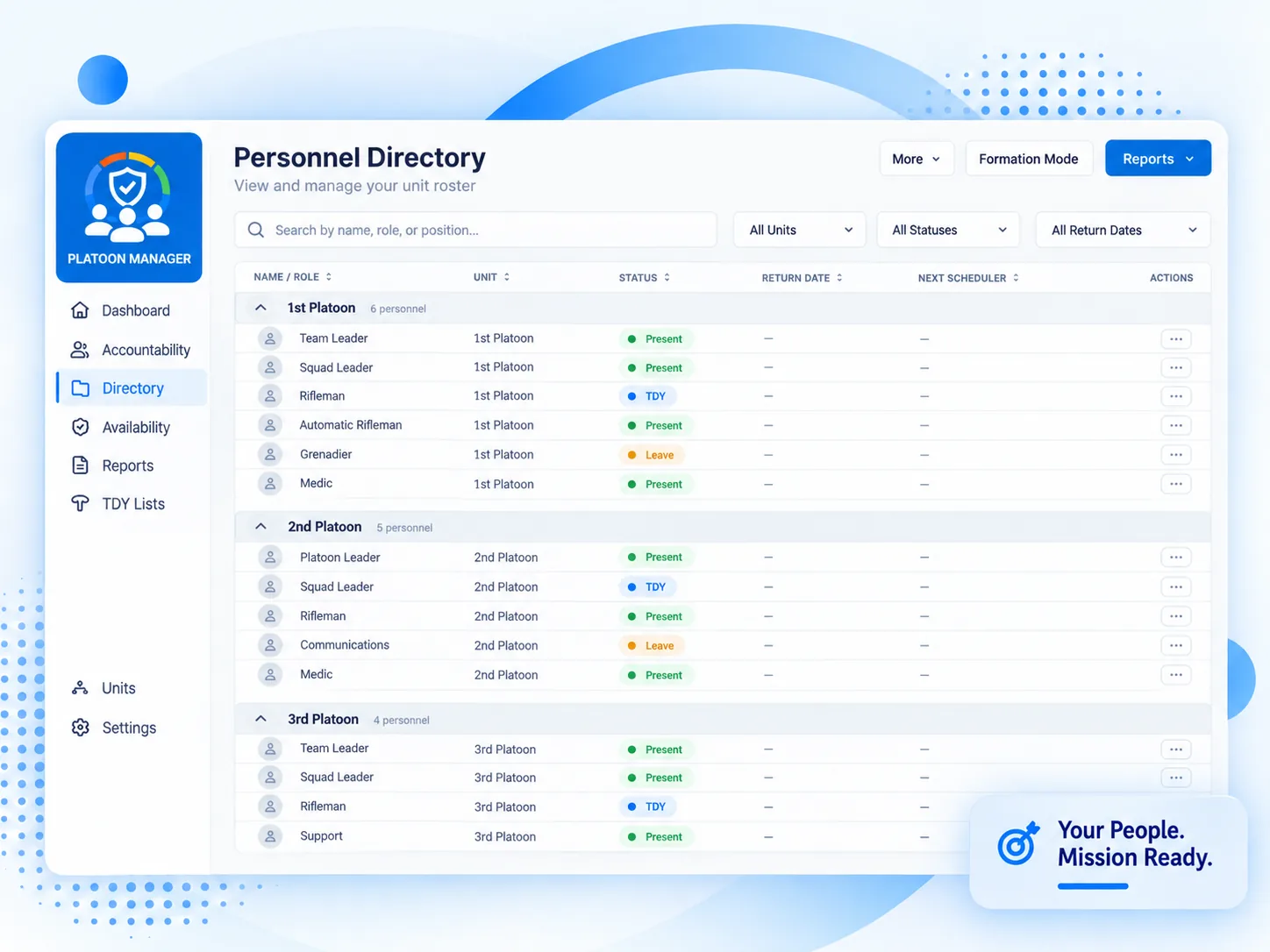
Every soldier under your unit, by platoon, with current status and return date in the same row. Search by name, role or position; filter by unit, status or who is coming back this week.
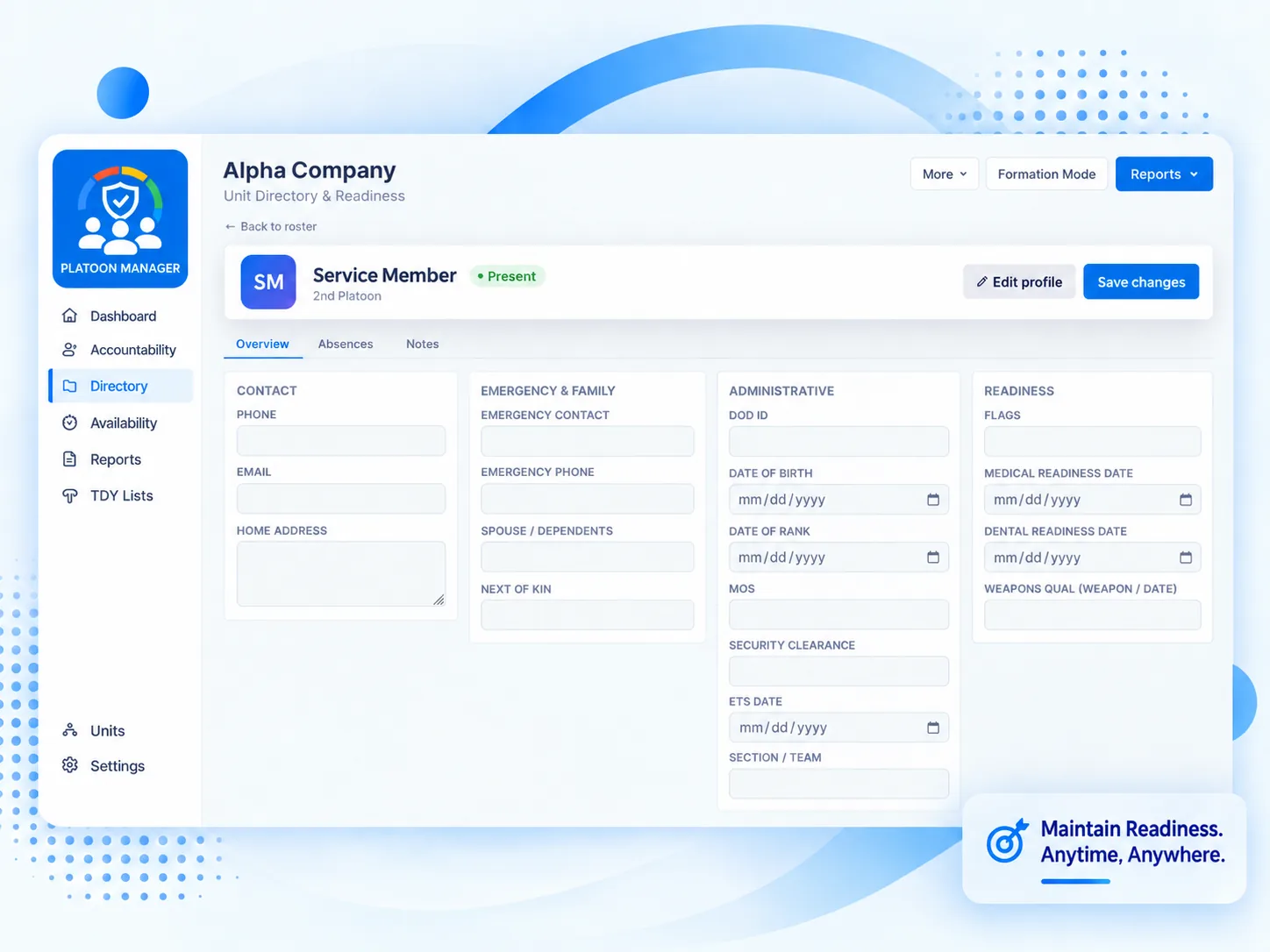
Soldier records
Contact details, emergency contact and next of kin, administrative data and readiness dates in one place, with every absence they have taken listed underneath.
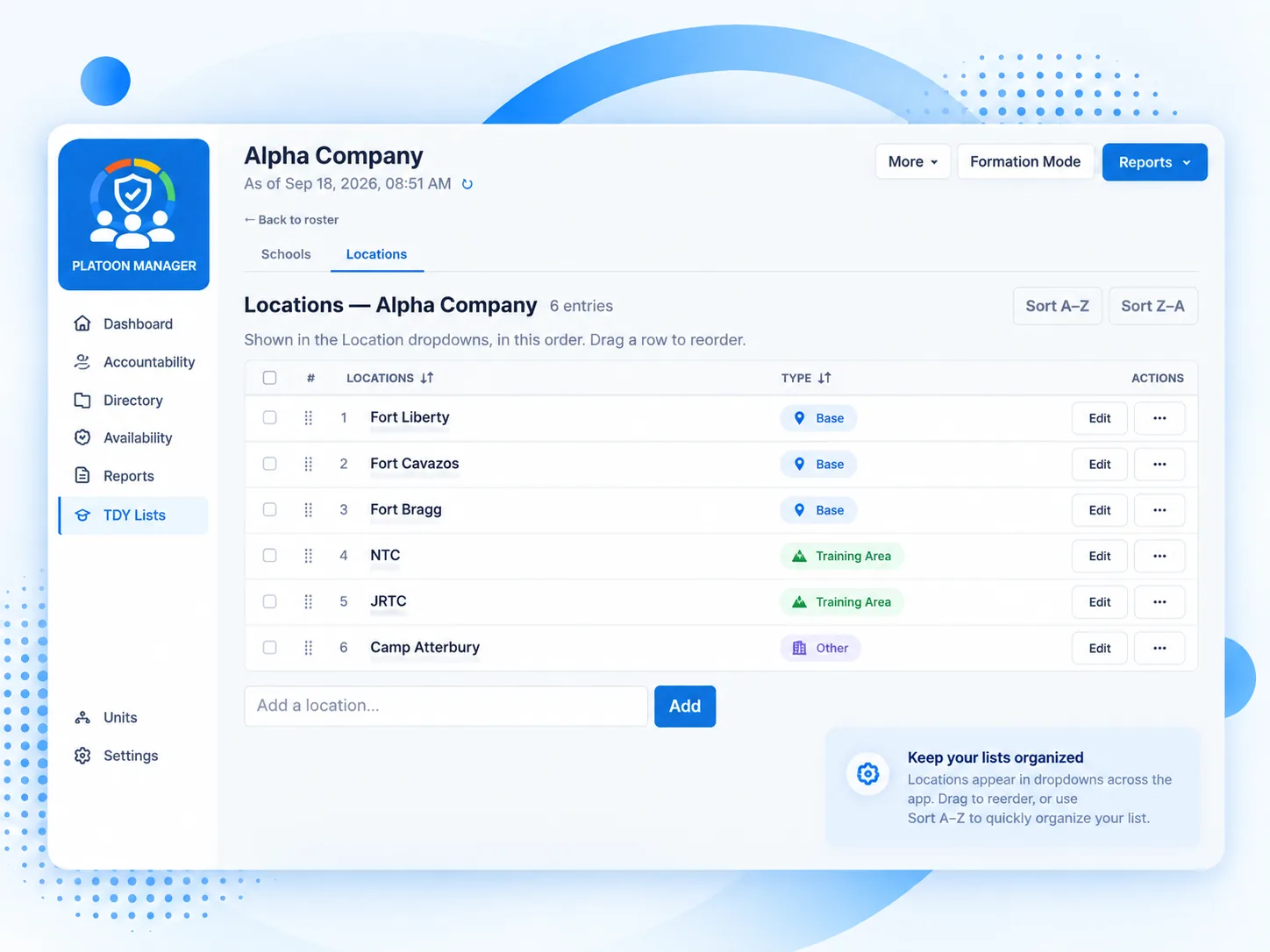
Schools & locations
The schools and locations your unit actually uses, maintained by you and offered in every dropdown in the order you put them in.
You set this up yourself, in an afternoon, with nobody to wait on.
Sign in, name your unit, and build the platoons, squads and sections under it. Whoever creates it owns it.
Enter the roster, then invite your leaders with single-use links that carry the unit and the level of access and expire on their own.
Open formation mode at 0630. Activation, return to duty, history and the report all follow from it. There is nothing else to remember.
Personnel data is the whole point of the app. Here is what keeps it inside your unit.
The separation is enforced by the database itself, on every table, so a missed filter in one query cannot hand over a row.
There is no open sign-up into an existing unit. An invite names the unit and the role, is good once, and expires by itself.
A platoon sergeant sees their platoon and the squads under it, from the roster through to the audit log.
Export your whole organization as a single file at any time, and restore it back. The server also takes a nightly backup.
Priced for the unit. Add your whole company without watching a seat count.
Platoon Manager
Every new organization starts on a 14-day free trial.
Current monthly and annual rates are shown before you enter a card.
No. Platoon Manager is a unit-run accountability tool. It is not an official Army or Department of Defense system of record, it is not endorsed by them, and it does not replace eMILPO, IPPS-A, DTMS or anything else of that kind. Do not enter classified information into it.
No. It runs in the browser on any phone, tablet or computer, and it can be added to a phone's home screen so it opens like an app. There is nothing to push through a device manager.
No. Each organization's data is separated at the database level, and inside your own organization a leader only sees their own units and the ones below them. The privacy policy has the detail.
You are told before it does, and you can extend it once from inside the app. After that the account is locked rather than deleted. Subscribe and everything is where you left it.
An owner can export the whole organization as one file at any time: units, personnel, profiles, absences, duty roster, saved reports and settings. The same file restores it.
Create your organization, add your people, and take accountability tomorrow morning. Fourteen days free, and no card until you have decided.